
 Guia com vidnerds.com
Faça seu carro cair do céu
Uma foto do seu carro e um prompt. Em minutos você tem um vídeo vertical cinematográfico de 5 segundos em que ele desce das nuvens e pousa exatamente onde você estacionou. Aqui está todo o processo, com o prompt para copiar.
Veja o resultado
Passo a passo
Seu vídeo em seis passos
- 01
Tire uma foto do seu carro
Foto vertical, carro estacionado e inteiro à vista, boa luz do dia e céu aberto ao fundo. Quanto mais nítida, melhor o modelo mantém a pintura, as rodas e a placa.
- 02
Abra a vidnerds
Entre em vidnerds.com, faça login e abra o estúdio. Escolha o modelo de vídeo Nerd Motion no modo imagens de referência para vídeo.
- 03
Envie sua foto
Adicione a imagem como referência. Dentro do prompt ela se chama @Image1 e é o quadro final do vídeo.
- 04
Cole o prompt
Copie o prompt da caixa abaixo e cole como está. Mantenha em inglês: os modelos o seguem com mais precisão.
- 05
Escolha formato, qualidade e duração
9:16 vertical, 5 segundos e 720p (cerca de 110 créditos). O botão Gerar mostra o custo exato antes de confirmar.
- 06
Gere e revise
Quando terminar, o vídeo fica na sua biblioteca. Se algo não agradar, mude uma única coisa no prompt e tente de novo.
Prompt
Copie e cole
O prompt está sempre em inglês, seja qual for o idioma desta página.
Create a photorealistic vertical 9:16 video, exactly 5 seconds long. One continuous take, strictly no cuts.

SINGLE REFERENCE
Use @Image1 as the only reference for the exact vehicle, location, lighting, and final composition. Treat this image as the target FINAL FRAME.

EXTREME APPARENT HEIGHT — ESSENTIAL
The opening shows an enormous expanse of sky, with the camera looking almost vertically upward from ground level.

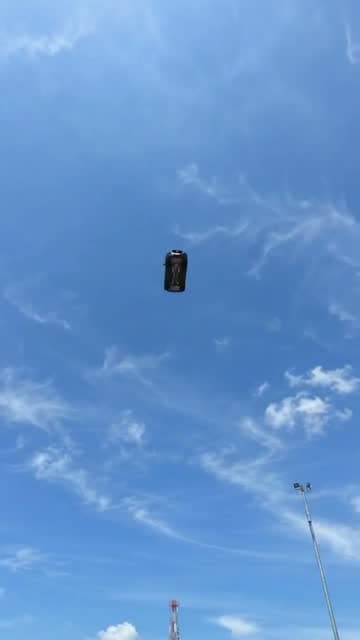
The vehicle begins extremely far overhead as a tiny dark silhouette: approximately 2% of the frame width and no more than 3% of the frame height. Its opening appearance should be roughly 30–40 times smaller than its final parked appearance.

Surround it with abundant empty sky to communicate immense distance and height. Individual vehicle details and license plate characters should not be distinguishable at this distance.

Keep the vehicle visibly distant during the opening second. The ground and nearby structures remain outside the opening frame.

CAMERA AND ACCELERATION
Use a fixed wide-angle lens. Keep the camera near ground level at the original location throughout the shot.

The vehicle grows larger because it physically approaches the ground. No zoom, forward push-in, or camera movement toward the airborne vehicle.

Show continuous, accelerating free fall. The approach becomes dramatically faster near the ground, with a rapid increase in apparent size during the final portion of the descent.

The camera tilts downward as the vehicle approaches, revealing the original landing location in one uninterrupted movement. Preserve a convincing sense of gravity, speed, and weight.

TIMELINE

0.0–1.0 seconds:
Sky fills the frame. A tiny vehicle silhouette is already falling from an immense apparent altitude, near the center of the image. It remains very small and distant while visibly approaching.

1.0–1.8 seconds:
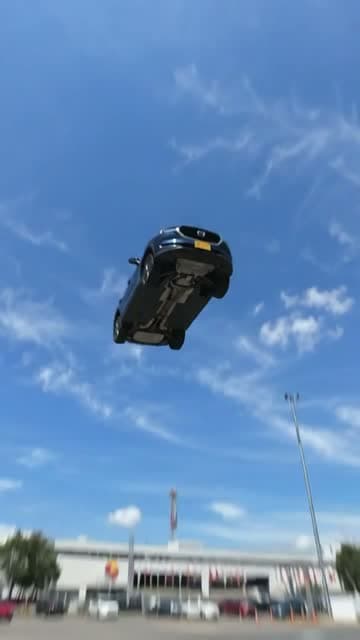
The vehicle accelerates and becomes progressively recognizable. Maintain its original proportions and heading. Its underside is naturally visible from the ground-level viewpoint.

1.8–2.5 seconds:
A rapid final plunge. The vehicle expands quickly in the frame as it closes the remaining distance. The camera performs a fast, smooth downward tilt, revealing the exact environment from @Image1. Brief natural motion blur emphasizes the speed.

2.5–2.7 seconds:
The vehicle lands firmly in the exact position shown in @Image1. Its wheels or appropriate contact points meet the original surface. Any suspension compresses sharply and produces one small, quickly damped rebound. Preserve the vehicle intact.

2.7–3.2 seconds:
The vehicle settles. A brief camera vibration conveys the impact, then immediately subsides. Dust or loose particles appear only if appropriate to the actual ground surface.

3.2–5.0 seconds:
Hold a stable final composition matching @Image1 as closely as possible. The entire vehicle is visible, stationary, and centered as in the reference.

EXACT VEHICLE PRESERVATION
Preserve the vehicle’s make, model, body shape, proportions, paint color, wheels, tires, windows, mirrors, lights, badges, accessories, markings, and distinctive details. Maintain the correct number and placement of all components.

If a license plate is present, reproduce its exact letters, numbers, character order, typography, colors, shape, and mounting position whenever it becomes visible and readable. Keep it consistent between frames. Do not invent unreadable characters or add a plate where none exists.

ENVIRONMENT AND LIGHTING
Preserve the reference location, ground surface, background, weather, and lighting. Extend the sky naturally above that same location. Shadows and reflections evolve consistently during the descent.

AUDIO
Increasing wind rush, a fast final whoosh, one heavy landing impact, and a brief suspension response if applicable. Finish with ambient and powertrain sounds appropriate to the vehicle. No music or speech.

AVOID
A large vehicle in the opening frame, a low starting altitude, hovering, slow motion, gentle lowering, constant-speed floating, braking before touchdown, prolonged bouncing, takeoff, or a parked opening followed by teleportation into the sky. No cuts, scene changes, captions, vehicle deformation, or altered license plate characters.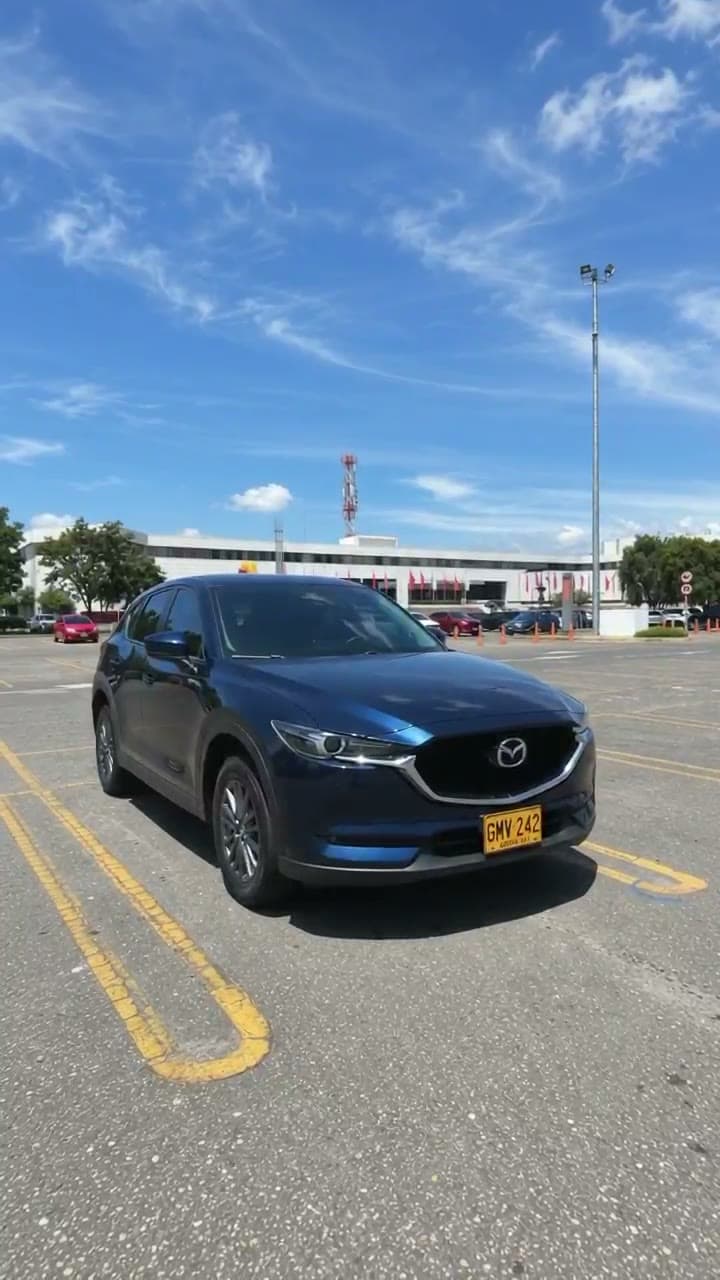
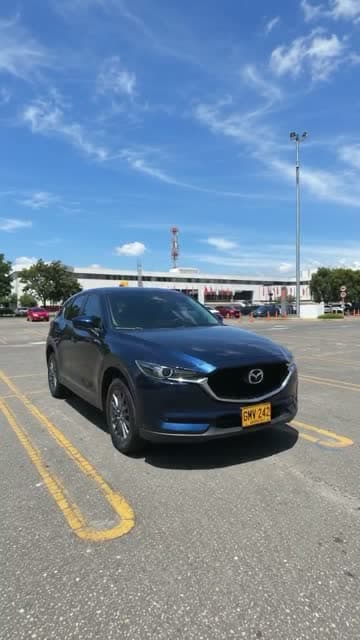
A imagem de referência
Esta é a imagem que enviei como @Image1. É o último quadro do vídeo: troque-a por uma foto do seu próprio carro.
⬇ Baixar imagem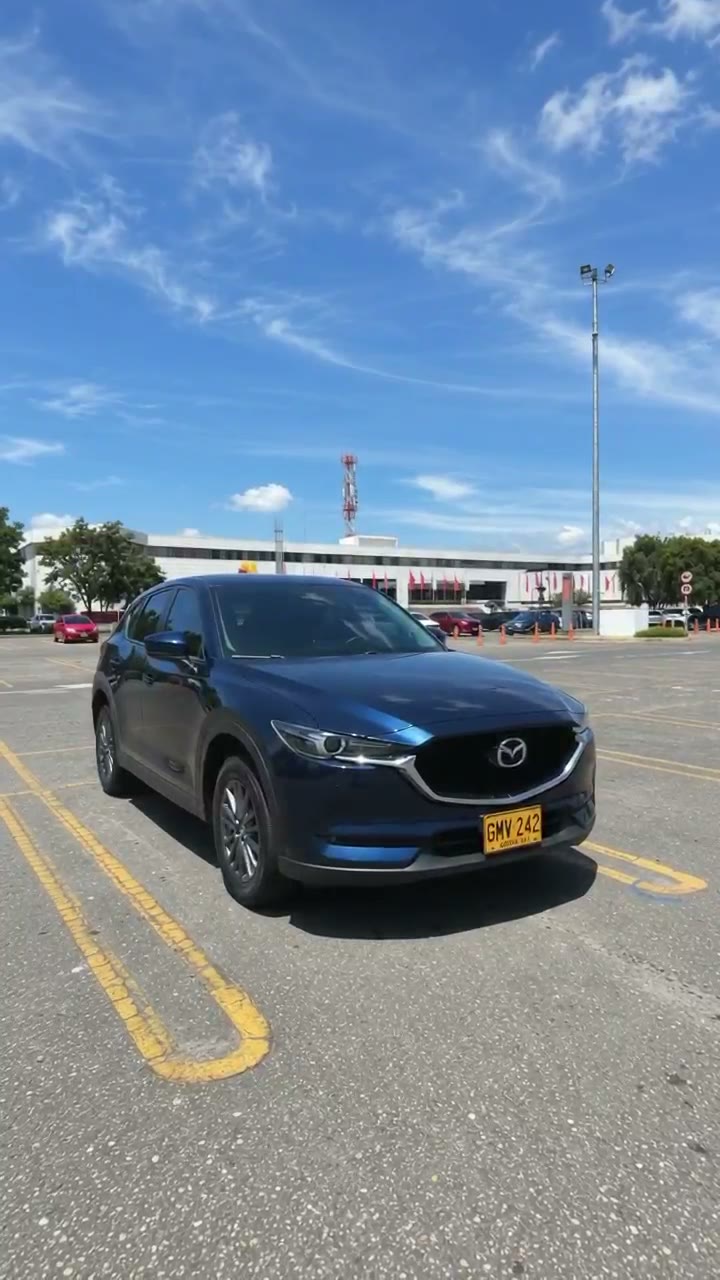
Três momentos do vídeo
Ajustes
O que usei na vidnerds
- Modelo
- Nerd Motion
- Modo
- Imagens de referência → vídeo
- Formato
- 9:16 vertical
- Duração
- 5 segundos
- Qualidade
- 720p
- Áudio
- Incluído
- Referências
- 1 imagem (@Image1)
- Custo
- ≈ 110 créditos
Os créditos são calculados como preço por segundo × segundos e podem mudar. Confirme sempre no estúdio.
Anatomia do prompt
Por que funciona
Um carro minúsculo no início
O prompt diz que o carro começa com 2 % da largura do quadro. Assim parece que cai de uma altura enorme.
Câmera fixa
Sem zoom nem aproximação: o carro cresce porque se aproxima, não porque a câmera se move. Parece real.
Linha do tempo por segundos
Cada bloco (0–1 s, 1–1,8 s…) diz ao modelo o que acontece e quando, incluindo o impacto e a acomodação.
A imagem como quadro final
@Image1 é o alvo. O carro pousa exatamente onde estava estacionado, com a mesma luz.
Lista rígida do que evitar
Proíbe cortes, câmera lenta, flutuar e placas alteradas, que são as falhas mais comuns.
O som também é planejado
Vento que aumenta, um impacto pesado e o som próprio do carro. Sem música nem voz.
Faça o seu hoje
Entre na vidnerds, envie uma foto do seu carro e cole o prompt. E se quiser mais guias como este, inscreva-se.
Ir para vidnerds.com ↗