
 Guía con vidnerds.com
Haz que tu carro caiga del cielo
Una foto de tu carro y un prompt. En minutos tienes un video vertical de 5 segundos, cinematográfico, en el que baja de las nubes y aterriza justo donde lo parqueaste. Aquí está todo el proceso, con el prompt para copiar.
Mira el resultado
Paso a paso
Tu video en seis pasos
- 01
Toma una foto de tu carro
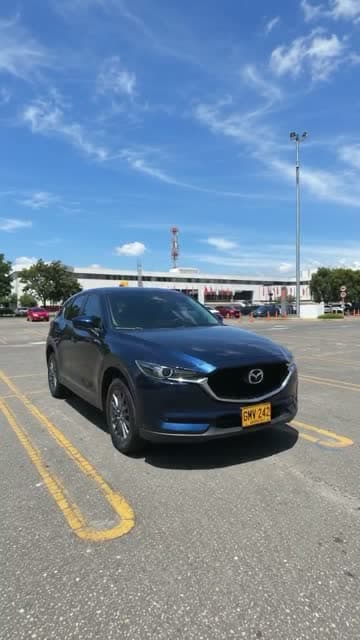
Foto vertical, carro parqueado y completo, buena luz de día y cielo despejado detrás. Entre más nítida, mejor conserva el modelo la pintura, los rines y la placa.
- 02
Abre vidnerds
Entra a vidnerds.com, inicia sesión y abre el estudio. Elige el modelo de video Nerd Motion en modo imágenes de referencia a video.
- 03
Sube tu foto
Agrega la imagen como referencia. Dentro del prompt se llama @Image1 y es el fotograma final del video.
- 04
Pega el prompt
Copia el prompt de la caja de abajo y pégalo tal cual. Déjalo en inglés: los modelos lo siguen con más precisión.
- 05
Elige formato, calidad y duración
9:16 vertical, 5 segundos y 720p (unos 110 créditos). El botón Generar muestra el costo exacto antes de confirmar.
- 06
Genera y revisa
Cuando termine, el video queda en tu biblioteca. Si algo no te gusta, cambia una sola cosa del prompt y vuelve a intentar.
Prompt
Copia y pega
El prompt siempre está en inglés, sin importar el idioma de esta página.
Create a photorealistic vertical 9:16 video, exactly 5 seconds long. One continuous take, strictly no cuts.

SINGLE REFERENCE
Use @Image1 as the only reference for the exact vehicle, location, lighting, and final composition. Treat this image as the target FINAL FRAME.

EXTREME APPARENT HEIGHT — ESSENTIAL
The opening shows an enormous expanse of sky, with the camera looking almost vertically upward from ground level.

The vehicle begins extremely far overhead as a tiny dark silhouette: approximately 2% of the frame width and no more than 3% of the frame height. Its opening appearance should be roughly 30–40 times smaller than its final parked appearance.

Surround it with abundant empty sky to communicate immense distance and height. Individual vehicle details and license plate characters should not be distinguishable at this distance.

Keep the vehicle visibly distant during the opening second. The ground and nearby structures remain outside the opening frame.

CAMERA AND ACCELERATION
Use a fixed wide-angle lens. Keep the camera near ground level at the original location throughout the shot.

The vehicle grows larger because it physically approaches the ground. No zoom, forward push-in, or camera movement toward the airborne vehicle.

Show continuous, accelerating free fall. The approach becomes dramatically faster near the ground, with a rapid increase in apparent size during the final portion of the descent.

The camera tilts downward as the vehicle approaches, revealing the original landing location in one uninterrupted movement. Preserve a convincing sense of gravity, speed, and weight.

TIMELINE

0.0–1.0 seconds:
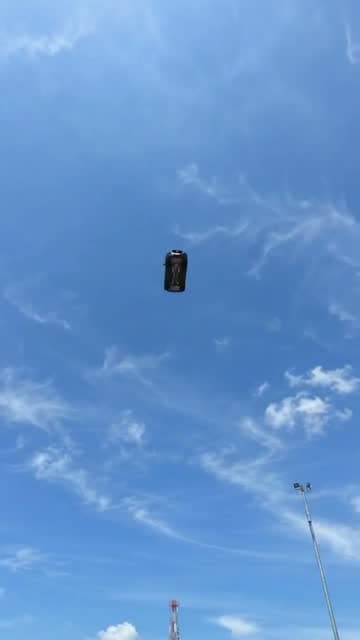
Sky fills the frame. A tiny vehicle silhouette is already falling from an immense apparent altitude, near the center of the image. It remains very small and distant while visibly approaching.

1.0–1.8 seconds:
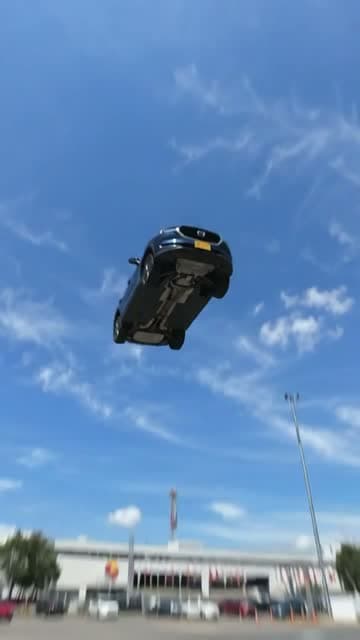
The vehicle accelerates and becomes progressively recognizable. Maintain its original proportions and heading. Its underside is naturally visible from the ground-level viewpoint.

1.8–2.5 seconds:
A rapid final plunge. The vehicle expands quickly in the frame as it closes the remaining distance. The camera performs a fast, smooth downward tilt, revealing the exact environment from @Image1. Brief natural motion blur emphasizes the speed.

2.5–2.7 seconds:
The vehicle lands firmly in the exact position shown in @Image1. Its wheels or appropriate contact points meet the original surface. Any suspension compresses sharply and produces one small, quickly damped rebound. Preserve the vehicle intact.

2.7–3.2 seconds:
The vehicle settles. A brief camera vibration conveys the impact, then immediately subsides. Dust or loose particles appear only if appropriate to the actual ground surface.

3.2–5.0 seconds:
Hold a stable final composition matching @Image1 as closely as possible. The entire vehicle is visible, stationary, and centered as in the reference.

EXACT VEHICLE PRESERVATION
Preserve the vehicle’s make, model, body shape, proportions, paint color, wheels, tires, windows, mirrors, lights, badges, accessories, markings, and distinctive details. Maintain the correct number and placement of all components.

If a license plate is present, reproduce its exact letters, numbers, character order, typography, colors, shape, and mounting position whenever it becomes visible and readable. Keep it consistent between frames. Do not invent unreadable characters or add a plate where none exists.

ENVIRONMENT AND LIGHTING
Preserve the reference location, ground surface, background, weather, and lighting. Extend the sky naturally above that same location. Shadows and reflections evolve consistently during the descent.

AUDIO
Increasing wind rush, a fast final whoosh, one heavy landing impact, and a brief suspension response if applicable. Finish with ambient and powertrain sounds appropriate to the vehicle. No music or speech.

AVOID
A large vehicle in the opening frame, a low starting altitude, hovering, slow motion, gentle lowering, constant-speed floating, braking before touchdown, prolonged bouncing, takeoff, or a parked opening followed by teleportation into the sky. No cuts, scene changes, captions, vehicle deformation, or altered license plate characters.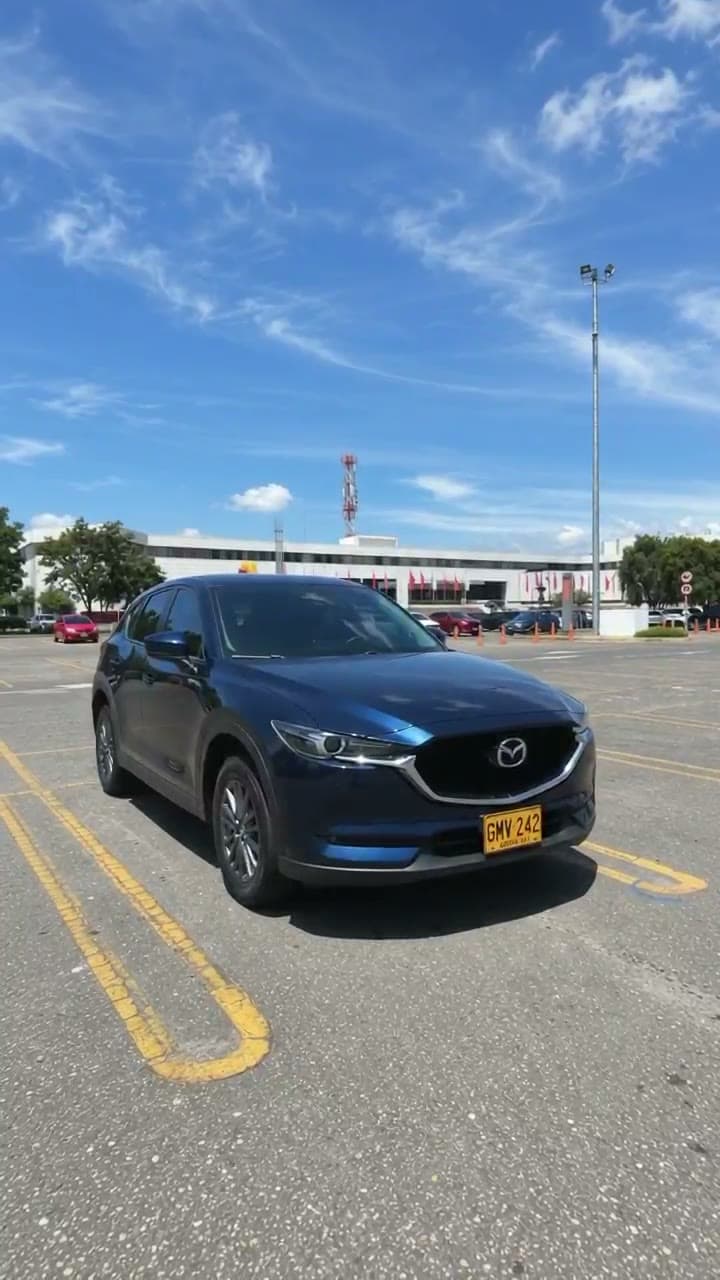
La imagen de referencia
Esta es la imagen que subí como @Image1. Es el último fotograma del video: cámbiala por una foto de tu propio carro.
⬇ Descargar imagen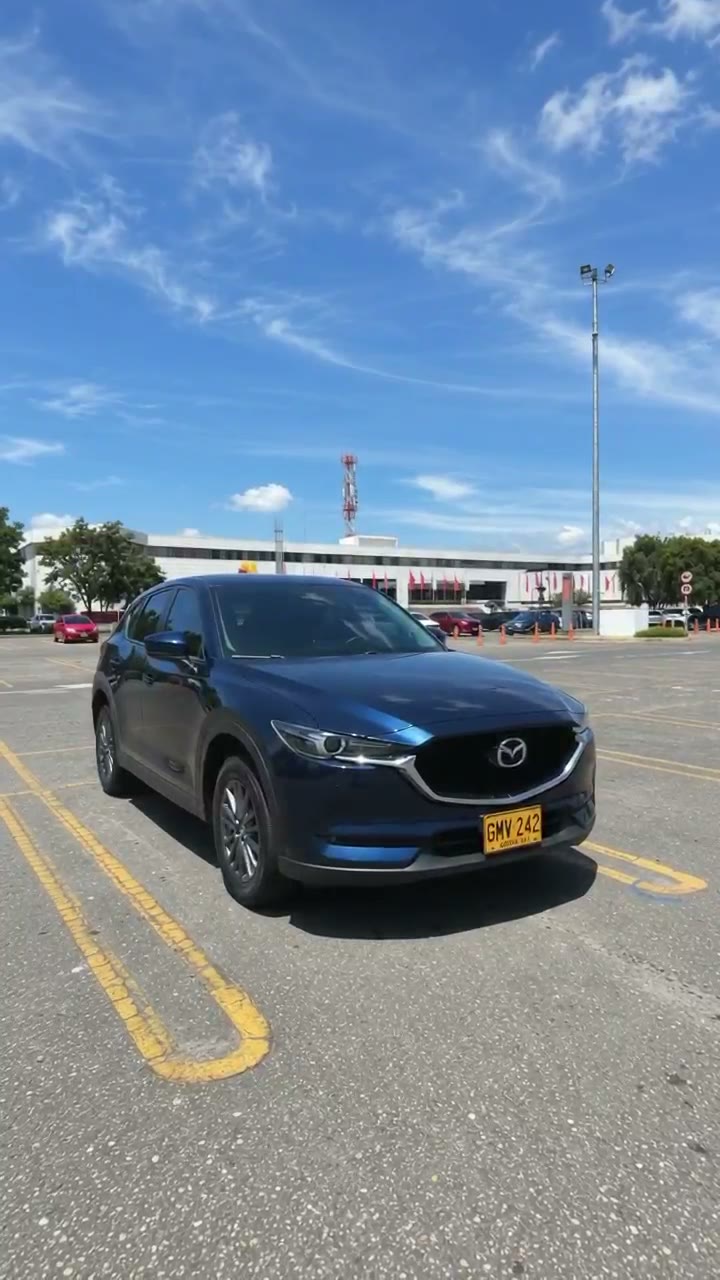
Tres momentos del video
Ajustes
Lo que usé en vidnerds
- Modelo
- Nerd Motion
- Modo
- Imágenes de referencia → video
- Formato
- 9:16 vertical
- Duración
- 5 segundos
- Calidad
- 720p
- Audio
- Incluido
- Referencias
- 1 imagen (@Image1)
- Costo
- ≈ 110 créditos
Los créditos se calculan como precio por segundo × segundos y pueden cambiar. Confirma siempre en el estudio.
Anatomía del prompt
Por qué funciona
Un carro diminuto al inicio
El prompt dice que el carro empieza con el 2 % del ancho del cuadro. Así parece que cae desde una altura enorme.
Cámara fija
Sin zoom ni acercamiento: el carro crece porque se acerca, no porque la cámara se mueva. Se siente real.
Línea de tiempo por segundos
Cada bloque (0–1 s, 1–1,8 s…) le dice al modelo qué pasa y cuándo, incluidos el impacto y el reposo.
La imagen como fotograma final
@Image1 es el objetivo. El carro aterriza exactamente donde estaba parqueado, con la misma luz.
Lista estricta de lo que se evita
Prohíbe cortes, cámara lenta, flotar y placas alteradas, que son los fallos habituales.
El sonido también está diseñado
Viento que aumenta, un impacto pesado y el sonido propio del carro. Sin música ni voz.
Haz el tuyo hoy
Entra a vidnerds, sube una foto de tu carro y pega el prompt. Y si quieres más guías como esta, suscríbete.
Ir a vidnerds.com ↗