
 Guide avec vidnerds.com
Fais tomber ta voiture du ciel
Une photo de ta voiture et un prompt. En quelques minutes, tu obtiens une vidéo verticale cinématographique de 5 secondes où elle descend des nuages et se pose pile là où tu l’avais garée. Voici tout le processus, avec le prompt à copier.
Voir le résultat
Pas à pas
Ta vidéo en six étapes
- 01
Prends ta voiture en photo
Photo verticale, voiture garée et entièrement visible, bonne lumière du jour et ciel dégagé derrière. Plus la photo est nette, mieux le modèle conserve la peinture, les jantes et la plaque.
- 02
Ouvre vidnerds
Va sur vidnerds.com, connecte-toi et ouvre le studio. Choisis le modèle vidéo Nerd Motion en mode images de référence vers vidéo.
- 03
Importe ta photo
Ajoute l’image comme référence. Dans le prompt elle s’appelle @Image1 et devient la dernière image de la vidéo.
- 04
Colle le prompt
Copie le prompt de la boîte ci-dessous et colle-le tel quel. Garde-le en anglais : les modèles le suivent plus précisément.
- 05
Choisis format, qualité et durée
9:16 vertical, 5 secondes et 720p (environ 110 crédits). Le bouton Générer affiche le coût exact avant de confirmer.
- 06
Génère et vérifie
Une fois terminée, la vidéo est dans ta bibliothèque. Si quelque chose ne va pas, change un seul élément du prompt et réessaie.
Prompt
Copie et colle
Le prompt est toujours en anglais, quelle que soit la langue de cette page.
Create a photorealistic vertical 9:16 video, exactly 5 seconds long. One continuous take, strictly no cuts.

SINGLE REFERENCE
Use @Image1 as the only reference for the exact vehicle, location, lighting, and final composition. Treat this image as the target FINAL FRAME.

EXTREME APPARENT HEIGHT — ESSENTIAL
The opening shows an enormous expanse of sky, with the camera looking almost vertically upward from ground level.

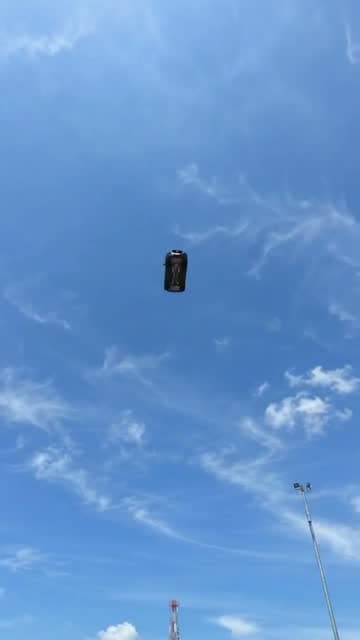
The vehicle begins extremely far overhead as a tiny dark silhouette: approximately 2% of the frame width and no more than 3% of the frame height. Its opening appearance should be roughly 30–40 times smaller than its final parked appearance.

Surround it with abundant empty sky to communicate immense distance and height. Individual vehicle details and license plate characters should not be distinguishable at this distance.

Keep the vehicle visibly distant during the opening second. The ground and nearby structures remain outside the opening frame.

CAMERA AND ACCELERATION
Use a fixed wide-angle lens. Keep the camera near ground level at the original location throughout the shot.

The vehicle grows larger because it physically approaches the ground. No zoom, forward push-in, or camera movement toward the airborne vehicle.

Show continuous, accelerating free fall. The approach becomes dramatically faster near the ground, with a rapid increase in apparent size during the final portion of the descent.

The camera tilts downward as the vehicle approaches, revealing the original landing location in one uninterrupted movement. Preserve a convincing sense of gravity, speed, and weight.

TIMELINE

0.0–1.0 seconds:
Sky fills the frame. A tiny vehicle silhouette is already falling from an immense apparent altitude, near the center of the image. It remains very small and distant while visibly approaching.

1.0–1.8 seconds:
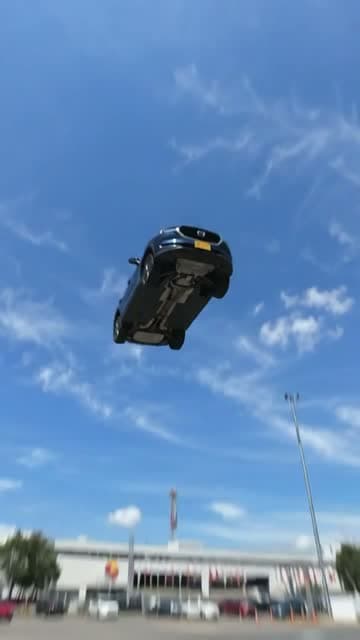
The vehicle accelerates and becomes progressively recognizable. Maintain its original proportions and heading. Its underside is naturally visible from the ground-level viewpoint.

1.8–2.5 seconds:
A rapid final plunge. The vehicle expands quickly in the frame as it closes the remaining distance. The camera performs a fast, smooth downward tilt, revealing the exact environment from @Image1. Brief natural motion blur emphasizes the speed.

2.5–2.7 seconds:
The vehicle lands firmly in the exact position shown in @Image1. Its wheels or appropriate contact points meet the original surface. Any suspension compresses sharply and produces one small, quickly damped rebound. Preserve the vehicle intact.

2.7–3.2 seconds:
The vehicle settles. A brief camera vibration conveys the impact, then immediately subsides. Dust or loose particles appear only if appropriate to the actual ground surface.

3.2–5.0 seconds:
Hold a stable final composition matching @Image1 as closely as possible. The entire vehicle is visible, stationary, and centered as in the reference.

EXACT VEHICLE PRESERVATION
Preserve the vehicle’s make, model, body shape, proportions, paint color, wheels, tires, windows, mirrors, lights, badges, accessories, markings, and distinctive details. Maintain the correct number and placement of all components.

If a license plate is present, reproduce its exact letters, numbers, character order, typography, colors, shape, and mounting position whenever it becomes visible and readable. Keep it consistent between frames. Do not invent unreadable characters or add a plate where none exists.

ENVIRONMENT AND LIGHTING
Preserve the reference location, ground surface, background, weather, and lighting. Extend the sky naturally above that same location. Shadows and reflections evolve consistently during the descent.

AUDIO
Increasing wind rush, a fast final whoosh, one heavy landing impact, and a brief suspension response if applicable. Finish with ambient and powertrain sounds appropriate to the vehicle. No music or speech.

AVOID
A large vehicle in the opening frame, a low starting altitude, hovering, slow motion, gentle lowering, constant-speed floating, braking before touchdown, prolonged bouncing, takeoff, or a parked opening followed by teleportation into the sky. No cuts, scene changes, captions, vehicle deformation, or altered license plate characters.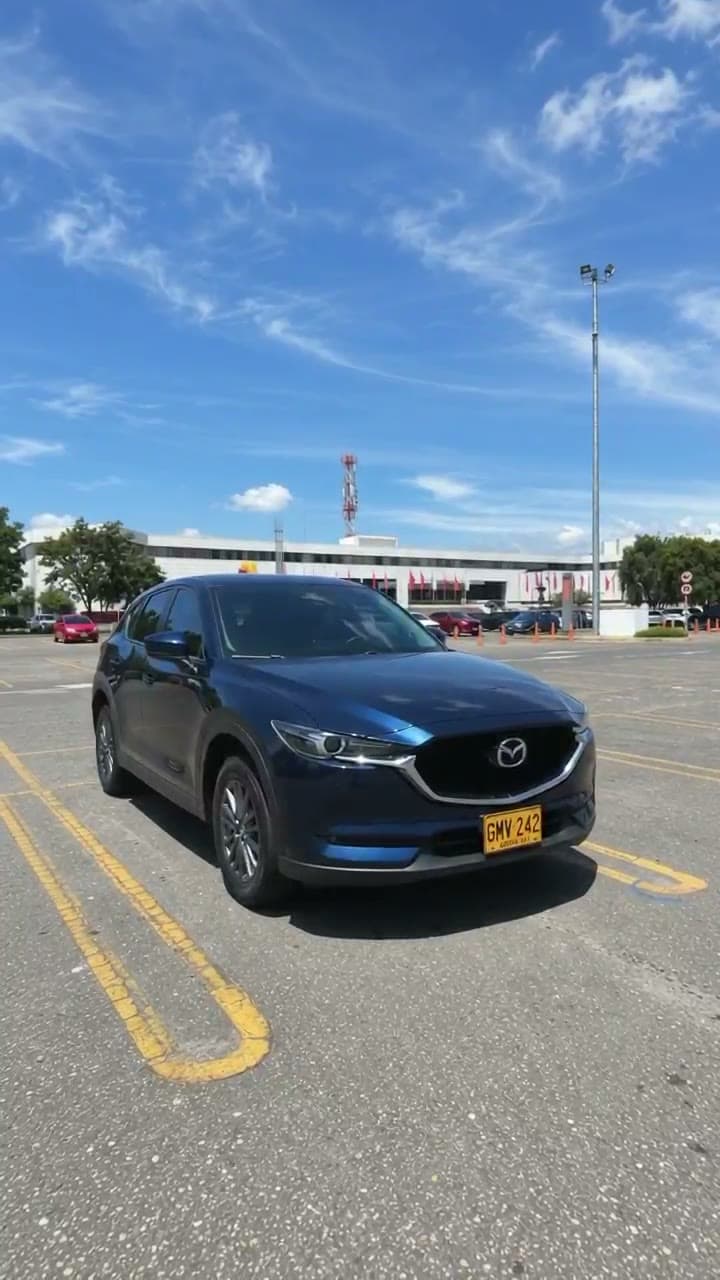
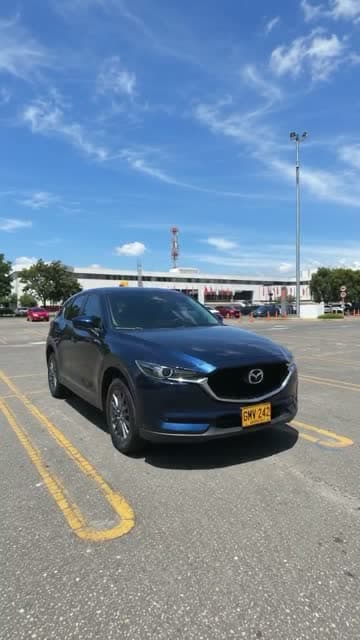
L’image de référence
C’est l’image que j’ai importée comme @Image1. C’est la dernière image de la vidéo : remplace-la par une photo de ta propre voiture.
⬇ Télécharger l’image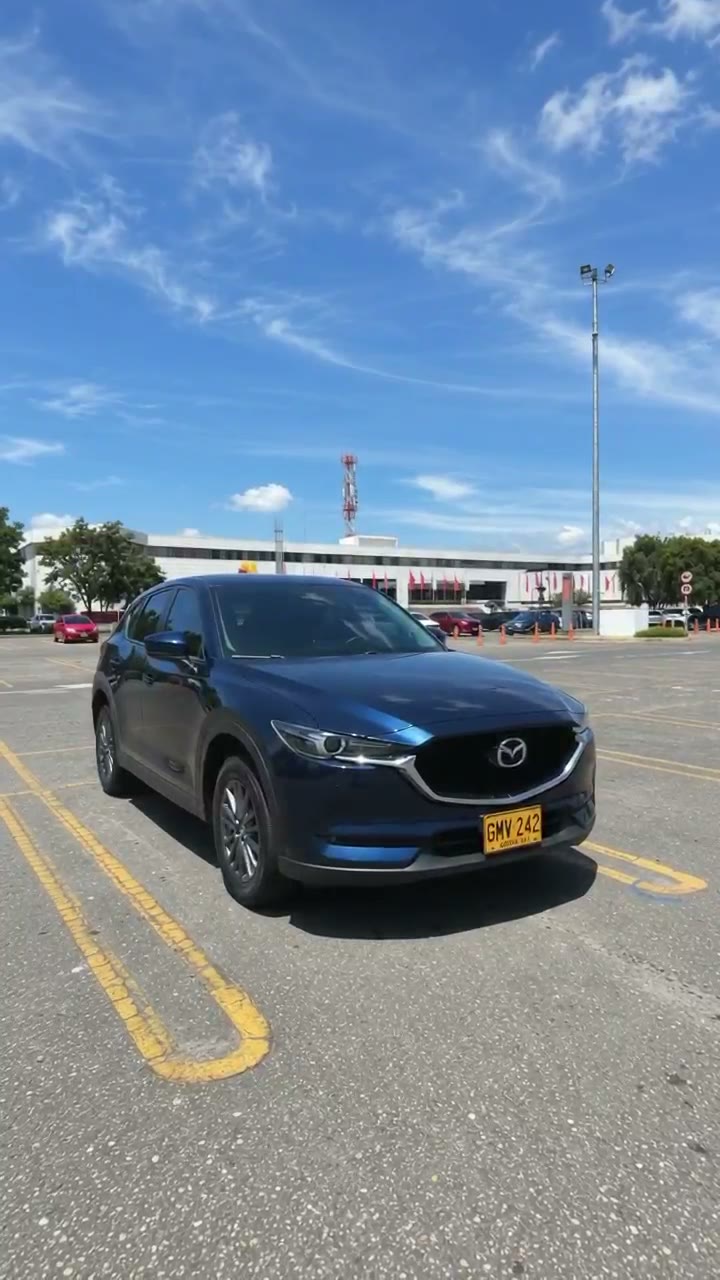
Trois moments de la vidéo
Réglages
Ce que j’ai utilisé dans vidnerds
- Modèle
- Nerd Motion
- Mode
- Images de référence → vidéo
- Format
- 9:16 vertical
- Durée
- 5 secondes
- Qualité
- 720p
- Audio
- Inclus
- Références
- 1 image (@Image1)
- Coût
- ≈ 110 crédits
Les crédits se calculent ainsi : prix par seconde × secondes, et peuvent changer. Confirme toujours dans le studio.
Anatomie du prompt
Pourquoi ça marche
Une voiture minuscule au début
Le prompt indique que la voiture commence à 2 % de la largeur du cadre. On dirait qu’elle tombe d’une hauteur énorme.
Une caméra fixe
Pas de zoom ni de travelling : la voiture grossit parce qu’elle approche, pas parce que la caméra bouge. Ça paraît réel.
Une chronologie à la seconde
Chaque bloc (0–1 s, 1–1,8 s…) dit au modèle ce qui se passe et quand, y compris l’impact et la stabilisation.
L’image comme dernière image
@Image1 est la cible. La voiture se pose exactement là où elle était garée, avec la même lumière.
Une liste stricte de ce qu’il faut éviter
Elle interdit les coupes, le ralenti, le surplace et les plaques modifiées, qui sont les défauts habituels.
Le son est aussi conçu
Un vent qui monte, un impact lourd et le bruit propre de la voiture. Ni musique ni voix.
Fais la tienne aujourd’hui
Ouvre vidnerds, importe une photo de ta voiture et colle le prompt. Envie d’autres guides comme celui-ci ? Abonne-toi.
Aller sur vidnerds.com ↗