
 Guide with vidnerds.com
Make your car fall from the sky
One photo of your car and one prompt. In minutes you get a cinematic 5-second vertical video where it drops from the clouds and lands exactly where you parked. Here is the whole process, with the prompt to copy.
Watch the result
Step by step
Your video in six steps
- 01
Take a photo of your car
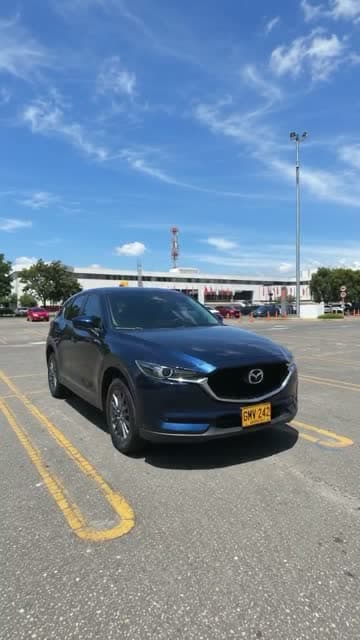
Vertical photo, car parked and fully visible, good daylight and a clear view of the sky behind it. The sharper the photo, the better the model keeps the paint, wheels and plate.
- 02
Open vidnerds
Go to vidnerds.com, sign in and open the studio. Choose the video model Nerd Motion in reference-images-to-video mode.
- 03
Upload your photo
Add the image as a reference. Inside the prompt it is called @Image1, and it becomes the final frame of the video.
- 04
Paste the prompt
Copy the prompt from the box below and paste it as is. Keep it in English: models follow it more precisely.
- 05
Set format, quality and length
9:16 vertical, 5 seconds and 720p (about 110 credits). The Generate button shows the exact cost before you confirm.
- 06
Generate and review
When it finishes, the video is in your library. If something is off, change one single thing in the prompt and try again.
Prompt
Copy and paste
The prompt is always in English, whatever language this page is in.
Create a photorealistic vertical 9:16 video, exactly 5 seconds long. One continuous take, strictly no cuts.

SINGLE REFERENCE
Use @Image1 as the only reference for the exact vehicle, location, lighting, and final composition. Treat this image as the target FINAL FRAME.

EXTREME APPARENT HEIGHT — ESSENTIAL
The opening shows an enormous expanse of sky, with the camera looking almost vertically upward from ground level.

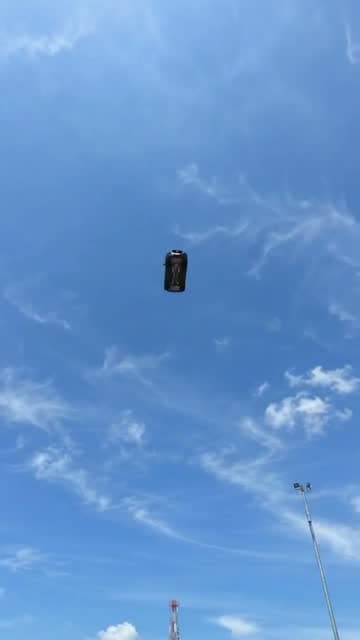
The vehicle begins extremely far overhead as a tiny dark silhouette: approximately 2% of the frame width and no more than 3% of the frame height. Its opening appearance should be roughly 30–40 times smaller than its final parked appearance.

Surround it with abundant empty sky to communicate immense distance and height. Individual vehicle details and license plate characters should not be distinguishable at this distance.

Keep the vehicle visibly distant during the opening second. The ground and nearby structures remain outside the opening frame.

CAMERA AND ACCELERATION
Use a fixed wide-angle lens. Keep the camera near ground level at the original location throughout the shot.

The vehicle grows larger because it physically approaches the ground. No zoom, forward push-in, or camera movement toward the airborne vehicle.

Show continuous, accelerating free fall. The approach becomes dramatically faster near the ground, with a rapid increase in apparent size during the final portion of the descent.

The camera tilts downward as the vehicle approaches, revealing the original landing location in one uninterrupted movement. Preserve a convincing sense of gravity, speed, and weight.

TIMELINE

0.0–1.0 seconds:
Sky fills the frame. A tiny vehicle silhouette is already falling from an immense apparent altitude, near the center of the image. It remains very small and distant while visibly approaching.

1.0–1.8 seconds:
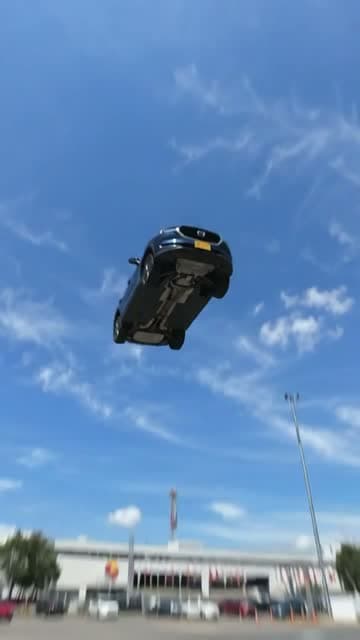
The vehicle accelerates and becomes progressively recognizable. Maintain its original proportions and heading. Its underside is naturally visible from the ground-level viewpoint.

1.8–2.5 seconds:
A rapid final plunge. The vehicle expands quickly in the frame as it closes the remaining distance. The camera performs a fast, smooth downward tilt, revealing the exact environment from @Image1. Brief natural motion blur emphasizes the speed.

2.5–2.7 seconds:
The vehicle lands firmly in the exact position shown in @Image1. Its wheels or appropriate contact points meet the original surface. Any suspension compresses sharply and produces one small, quickly damped rebound. Preserve the vehicle intact.

2.7–3.2 seconds:
The vehicle settles. A brief camera vibration conveys the impact, then immediately subsides. Dust or loose particles appear only if appropriate to the actual ground surface.

3.2–5.0 seconds:
Hold a stable final composition matching @Image1 as closely as possible. The entire vehicle is visible, stationary, and centered as in the reference.

EXACT VEHICLE PRESERVATION
Preserve the vehicle’s make, model, body shape, proportions, paint color, wheels, tires, windows, mirrors, lights, badges, accessories, markings, and distinctive details. Maintain the correct number and placement of all components.

If a license plate is present, reproduce its exact letters, numbers, character order, typography, colors, shape, and mounting position whenever it becomes visible and readable. Keep it consistent between frames. Do not invent unreadable characters or add a plate where none exists.

ENVIRONMENT AND LIGHTING
Preserve the reference location, ground surface, background, weather, and lighting. Extend the sky naturally above that same location. Shadows and reflections evolve consistently during the descent.

AUDIO
Increasing wind rush, a fast final whoosh, one heavy landing impact, and a brief suspension response if applicable. Finish with ambient and powertrain sounds appropriate to the vehicle. No music or speech.

AVOID
A large vehicle in the opening frame, a low starting altitude, hovering, slow motion, gentle lowering, constant-speed floating, braking before touchdown, prolonged bouncing, takeoff, or a parked opening followed by teleportation into the sky. No cuts, scene changes, captions, vehicle deformation, or altered license plate characters.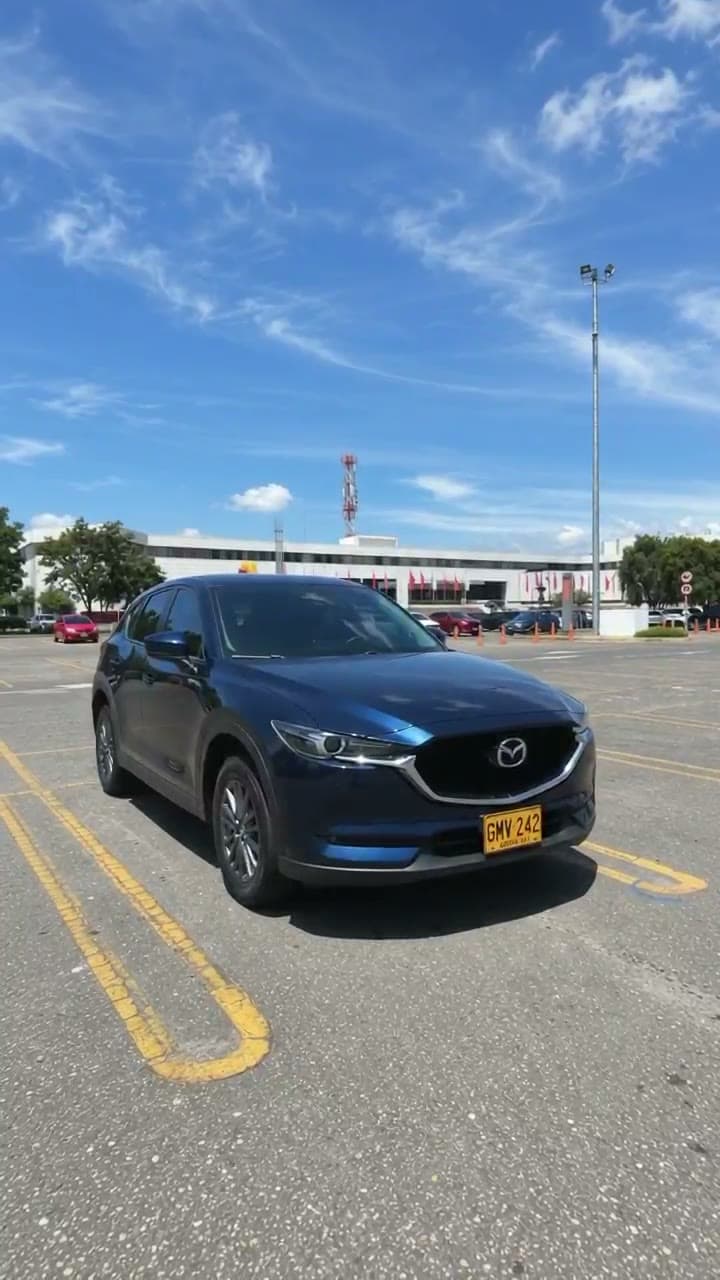
The reference image
This is the image I uploaded as @Image1. It is the last frame of the video: replace it with a photo of your own car.
⬇ Download image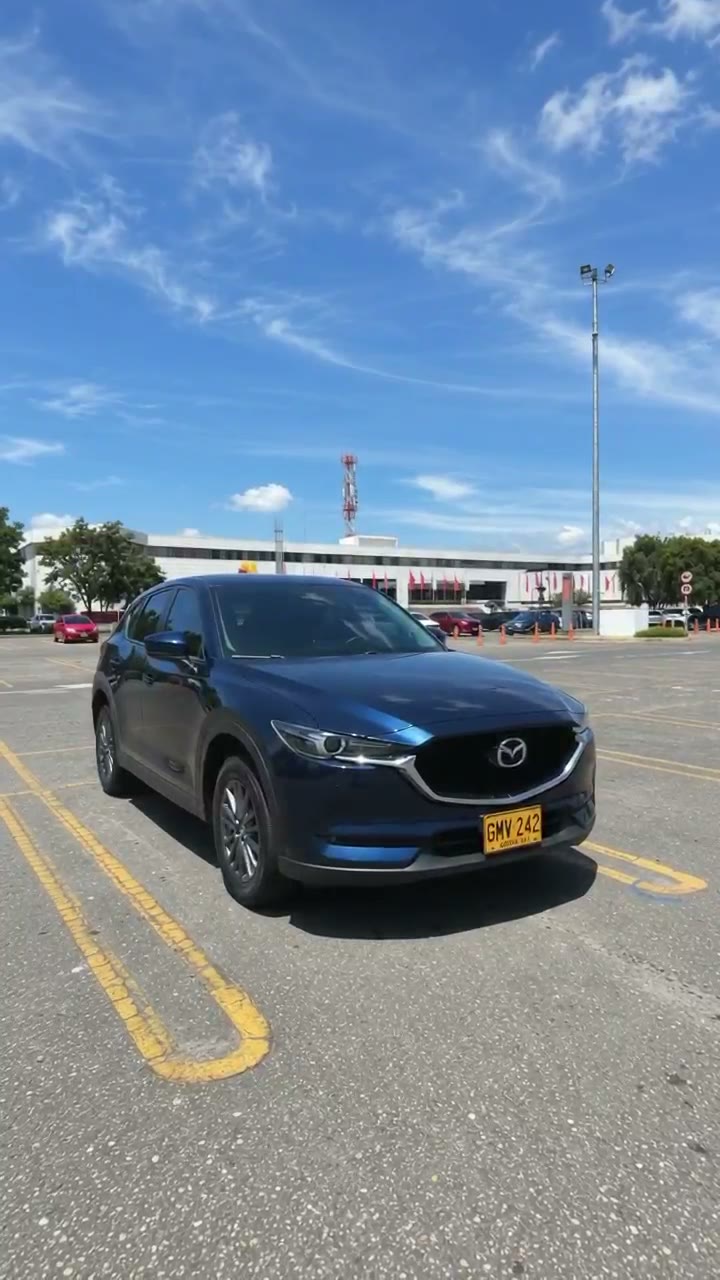
Three moments of the video
Settings
What I used in vidnerds
- Model
- Nerd Motion
- Mode
- Reference images → video
- Format
- 9:16 vertical
- Duration
- 5 seconds
- Quality
- 720p
- Audio
- Included
- References
- 1 image (@Image1)
- Cost
- ≈ 110 credits
Credits are computed as price per second × seconds and may change. Always confirm in the studio.
Anatomy of the prompt
Why it works
A tiny car at the start
The prompt says the car begins at 2% of the frame width. That makes it look like it falls from an enormous height.
A fixed camera
No zoom and no push-in: the car grows because it gets closer, not because the camera moves. It feels real.
A timeline by seconds
Each block (0–1 s, 1–1.8 s…) tells the model what happens and when, including the impact and the settle.
The image as the final frame
@Image1 is the target. The car lands exactly where it was parked, in the same light.
A strict avoid list
It forbids cuts, slow motion, hovering and altered plates, which are the usual failures.
Sound designed too
Wind that builds up, one heavy impact and the car's own sound. No music, no voice.
Make yours today
Open vidnerds, upload a photo of your car and paste the prompt. Want more guides like this? Subscribe.
Go to vidnerds.com ↗